Didn't get the login email?
Step-by-step: check spam, confirm the email, allowlist the sender, request a new link.
The login email is a separate email from your Stripe receipt. The receipt confirms the payment. The login email holds the link that actually signs you in. Both land within a few minutes of checkout and look alike at a glance, so the login one is easy to miss.
Work through these in order. Most missing-email cases sort out by step 2 or 3.
-
Search your mail for "Baby Acrobatics." Don't just scan the inbox. Search, so it turns up wherever it landed - spam, promotions, or the "all mail" view, which is where it goes most often on Gmail and Outlook. The sender shows as "Baby Acrobatics," the subject is "Your Baby Acrobatics Login Link," and the button inside reads "Access your guide."
-
Check the email on your Stripe receipt against what you typed at checkout. Open the receipt and look at the
To:line. A typo there is the single most common reason the email never shows up, since the link gets sent to an address that doesn't exist or isn't yours. If you spot one, see I made a typo at checkout. -
Allowlist the sender, then ask for a fresh link. Once you find any email from us, even an older one, mark it "Not spam" or add the sender to your contacts. That keeps the next link out of the spam folder.
-
Request a new link. Go to
guide.babyacrobatics.com, type your email into the field, and tap Sign In With Email Link. The new email arrives in about a minute. Open it within 30 minutes, or the link goes stale - see your login link expired if that happens. -
Still nothing after five minutes? Your provider is likely blocking the email outright. Email [email protected] from, or mentioning, the address you used at checkout, and we'll get you in by hand. You won't be locked out.
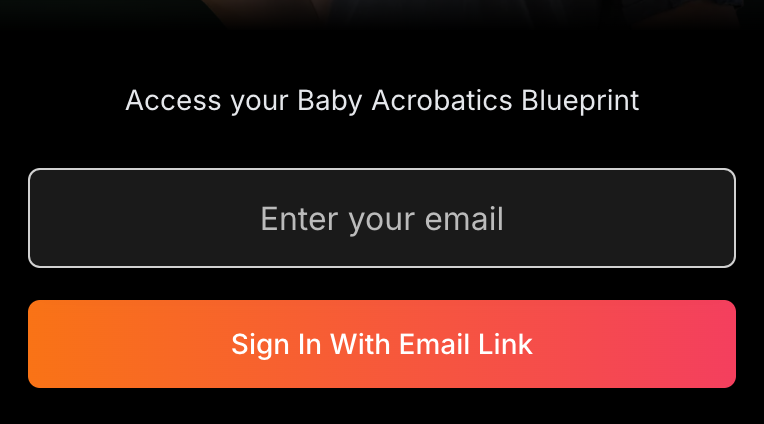
A couple of things worth knowing: the link works across devices, so you can request it on your laptop and tap it from your phone's inbox - the laptop still signs in. And once you're in, you stay signed in for about 30 days, so this is a one-time hurdle, not a daily one.
On Gmail, search every folder at once
Gmail files our login email into spam more than other providers do, so it's worth checking by hand. The fastest way is a search, not clicking through folders. In the Gmail search box at the top, type this and press Enter:
in:anywhere from:"Baby Acrobatics"
That looks everywhere at once, including spam, promotions, and the All Mail archive. When the login email turns up, open it and tap Report not spam (or Not spam in the menu). That tells Gmail to deliver the next one to your inbox. Then request a fresh link from guide.babyacrobatics.com and open it within 30 minutes.
When this is a different problem
If the email arrives but the link drops you back on the "Enter your email" screen, that's not a delivery issue. On Android with the Gmail app, see the login link sends you back to the login page. In Safari Private mode on iPhone, see login won't work in Safari Private mode.
If you think you might have used a different email than the one you're checking, see which email did I use before requesting more links.
Related help
The complete written guide with 100+ illustrated exercises, 5 starter routines, and the developmental framework. One-time purchase, lifetime access.
See what's included →