Your login link expired - what to do
Links expire after 30 minutes. Request a fresh one - it takes 10 seconds.
On this page
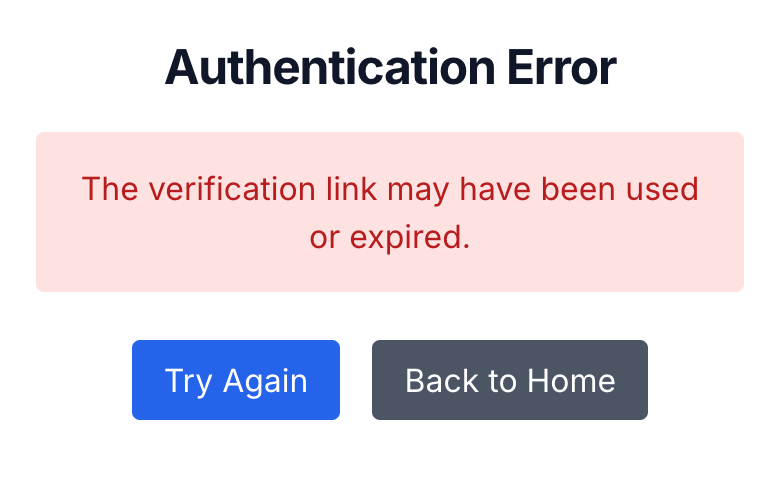
Login links expire 30 minutes after they're sent. Click an older one and you'll land on a page headed "Authentication Error" that says the link "may have been used or expired." Nothing is wrong with your account, and you haven't lost access to anything you bought. You just need a fresh link.
The 30-minute window is there for security. A login link signs you in without a password, so if it stayed valid forever, anyone who reached your inbox later could use it to get into your account. A short window keeps that from happening.
Get a fresh link
- On the error page, tap Try Again (or just go to
guide.babyacrobatics.com). You'll see the sign-in screen. - Enter the email you used at checkout. Not sure which one? See which email did I use.
- Tap Sign In With Email Link. A new email from Baby Acrobatics, subject "Your Baby Acrobatics Login Link", arrives within about a minute. If it's not in your inbox, check spam and promotions.
- Open the email and tap Access your guide within 30 minutes. The site signs you in and drops you straight into the guide.
Need to step away mid-request? Request another link when you're back. There's no limit, and an old unused link doesn't block a new one.
You can also click the link from a different device than the one you're signing into. Enter your email on your phone, then tap the link from your laptop's inbox, and your phone signs in. The link just has to be opened inside the 30 minutes.
Once you're in, you stay in for about a month
After you tap a valid link, that device stays signed in for around 30 days, then you'll request a fresh link to sign in again. In between, you don't need a new link each visit. Open the site or your home-screen icon and you go straight in.
You will need a new link if you sign out, clear your cookies, switch browsers, or open the site on a device that isn't signed in yet. If you keep getting signed out far sooner than a month, see I keep getting signed out.
If a fresh link still won't work
If a brand-new link still lands you on the error page, the expiry isn't the cause. See I got a login error for the full list of reasons, or how Baby Acrobatics login works for how the whole sign-in flow fits together.
And if you've switched phones and think your access is gone, it isn't. See I changed phones and lost access.
Related help
The complete written guide with 100+ illustrated exercises, 5 starter routines, and the developmental framework. One-time purchase, lifetime access.
See what's included →