I got a login error - what does it mean?
The most common error states and what to do about each.
On this page
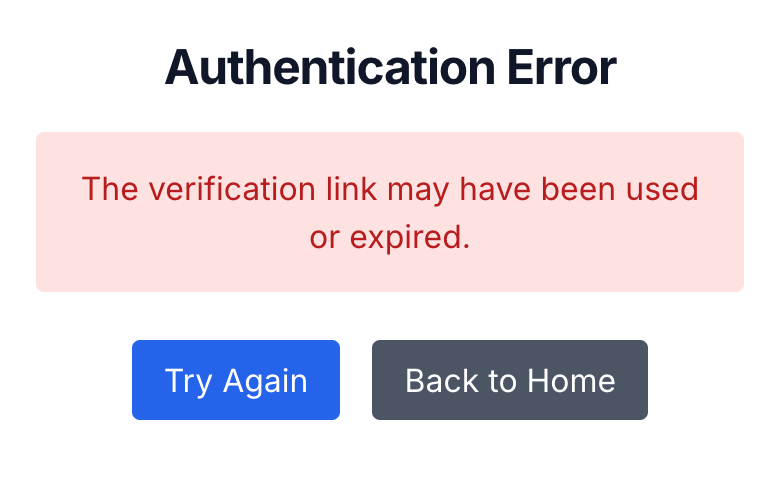
If you tapped your login link and landed on a page that says "The verification link may have been used or expired," the good news is that this is almost always the link, not your account. The fix is to request a fresh one and click it once, fairly quickly. Here's what each error actually means and how to get past it.
What the error is telling you
The message you'll see most often is "The verification link may have been used or expired." That covers two situations:
- You already used this link. Login links work once. The moment one signs you in, that same link stops working. Tapping it again, or tapping it on a second device after the first one already worked, brings you to this page.
- The link is more than 30 minutes old. Links expire after 30 minutes to keep your account safe. So if you requested it last night and clicked it this morning, it has timed out. There's more in my login link expired before I could use it.
Two other messages mean something different:
- "This email is not associated with a valid purchase." You requested a link for an email that isn't the one on your order. Check which email did I use, and if there's a typo on your receipt, see I made a typo at checkout.
- "This account has been suspended." Email [email protected] and we'll sort it out. This is rare, and it's usually a mistake.
The fix that works almost every time
- Open
guide.babyacrobatics.comin your normal browser. On Android, that means Chrome, not the in-app browser the Gmail app opens. On iPhone, don't use a Private tab. - Type the email you used at checkout and tap Sign In With Email Link.
- Wait for the new email from "Baby Acrobatics" with the subject "Your Baby Acrobatics Login Link." If it's not in your inbox within a couple of minutes, check spam.
- Tap Access your guide in that email, once, within 30 minutes.
That clears most cases on its own. If you're stuck in a loop where the link keeps bouncing you back to the email screen, that's a separate Android quirk - see the login link loops and never signs me in.
When it still won't work
If you've requested two fresh links and both errored out, you can stop here. More links won't change anything, and we'd rather get you in than have you keep trying.
Email [email protected] with the exact email you used at checkout. We'll check your account on our side, tell you what was blocking the login, and get you in.
Related help
The complete written guide with 100+ illustrated exercises, 5 starter routines, and the developmental framework. One-time purchase, lifetime access.
See what's included →