


Kids’ online privacy.
An illustrated journey · 5th century BCE to today
The story of privacy.
 Enter the story
 A warning reached Sparta on a tablet that looked blank. Someone had to work out where the message was hidden.
From there, the story passes through sealed letters, secret files and portable cameras, until it reaches the pictures of our children we share today.
Highlighted privacy articles
Six places to startRemove an unwanted photo, cover a moving face, or decide who gets the next family picture. Start with the job you came here to do.
 Remove photos already onlineRemove your child's photos from social media, understand Meta's deletion and backup timelines, and ask what remains after a post disappears.Read the guide
  Blur faces in videosCover moving faces, fix missed tracking, and check the saved video. Phone download steps, missed tracking repairs, and editor-specific guides.Read the guide
  Faces, attention and the evil eyeOur children are in our public videos, but we cover their faces. The personal question behind that choice, the evil eye, and where to draw your own line.Read the guide
  Photo location and metadataRemove location from photos and videos on iPhone, check Android limits, and inspect the exported copy for GPS, spoken addresses and visible clues.Read the guide
  Meta AI and family photosMeta AI can use adults' public photos, including family posts. Find EU objection forms and the steps to limit what you and relatives share.Read the guide
  Ask family not to postWording for asking grandparents and relatives not to post your child's photos, including private accounts, birthday parties and repeated boundary problems.Read the guide
 More privacy guides
35 articlesRemove what's online
8 guidesPosts, search results, old accounts and data-broker listings.
 Find photos already onlineLook for your child's photos using known accounts, text searches and public pages. Learn what reverse-image searches miss and how to track removal requests.Read the guide
  Delete old Instagram postsDelete Instagram posts and Reels in batches while keeping your account. Save your photos, choose archive or delete, fix failed actions and check what's left.Read the guide
  Remove family details from data brokersRemove family addresses and other details from people-search sites. Use California's free DROP service where eligible, and understand opt-outs, identity checks and results.Read the guide
  Delete accounts you no longer useFind old accounts, save family photos and records, check Google and Apple sign-in dependencies, then delete the account and keep its confirmation.Read the guide
  Remove child photos from GoogleChoose the right Google removal request for your child's photo, personal information or an outdated result, and ask the original website to remove its copy.Read the guide
  Remove child photos from FacebookA practical Facebook cleanup: review old albums, public profile photos, names and tags, then request relatives' uploads and report privacy problems.Read the guide
  Delete your old Facebook contentClear old Facebook posts, photos, comments and group activity while keeping your account. Includes app and desktop routes, failed-action checks and a worksheet.Read the guide
  Remove child photos from InstagramClean up your child's photos across Instagram posts, Reels, Stories and Highlights. Check captions and shared copies, and ask other uploaders to remove them.Read the guide
 Edit before sharing
8 guidesMoving faces, stronger covers, and the details inside the file.
 Blur, mosaic, or cover?Compare blur, pixelation, emoji and opaque face covers. Learn what each leaves visible, why you need a saved copy with the edits built in, and where AI changes the risk.Read the guide
  How our face covers workHow Baby Acrobatics' blur, mosaic and solid face covers work, why we changed the old multiple-pass approach, and what our photo and video tests actually show.Read the guide
  Blur faces in DaVinci ResolveBlur a moving face in DaVinci Resolve with a Power Window and tracking. Fix gaps when heads turn, judge mask edges, and review the exported video.Read the guide
  Blur faces in Premiere ProBlur a moving face in Premiere Pro using an ellipse mask, tracking and Gaussian Blur. Match the instructions to your version and avoid accidental reveals.Read the guide
  Blur faces in CapCutBlur a moving face in CapCut on desktop or iPhone. Understand the two-layer setup, fix inverted masks, and check coverage between keyframes.Read the guide
  Blur faces on YouTubeUse YouTube Studio's face and custom blur, repair missed coverage, and check the saved video. Includes private visibility, backups and irreversible edits.Read the guide
 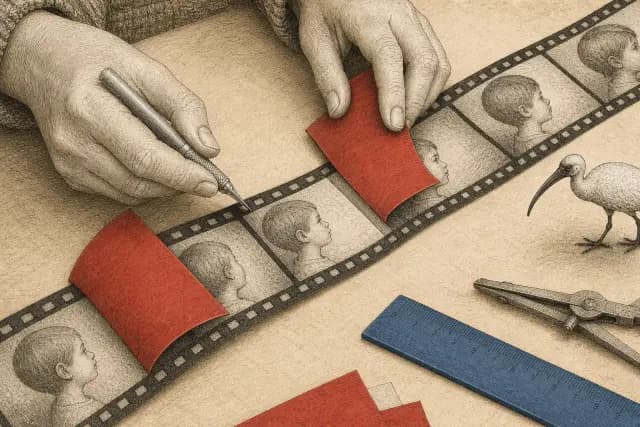 Blur faces in Final Cut ProTrack a face blur in Final Cut Pro for Mac, repair drifting sections and enlarge the mask without disturbing the track. Finish with a checked video export.Read the guide
  Remove names from video audioMute a whole video or cut a spoken name in iMovie on iPhone, then check captions, other audio tracks and the saved file before sharing.Read the guide
 Get other people on board
5 guidesFamily, photographers, photo audiences and live location.
 When your child wants photos removedHelp your child remove unwanted old photos, choose what to tackle first, ask other people and agree on what gets shared next.Read the guide
  Ask photographers to leave kids outWhat to say when a stranger or event photographer points a camera towards your child, how to set a no-photo preference, and what to do about uploads.Read the guide
  School and club photo consentAsk a school or club to keep your child out of public photos while they take part. Includes consent-form questions, email scripts and removal follow-up.Read the guide
  Share family photos privatelyChoose a smaller audience, understand encryption and cloud copies, and set a clear no-reposting rule when sharing family photos in messages or albums.Read the guide
  Family location sharingChoose who sees your family's location, share a trip for a limited time, check the device being shown and stop sharing in Apple Find My or Google Maps.Read the guide
 Understand online privacy
14 guidesAI, connected devices, account security and surveillance.
 Flock cameras and privacyFlock plate readers, live video, the exposed-camera investigation and gymnastics-room demos: what happened, what changed, and what to ask locally.Read the guide
  Can AI unblur faces?AI can invent a sharp face, recognise some obscured faces, or recover surviving detail. Learn what the research proves and how to share less revealing images.Read the guide
  What reverse-image search revealsUse TinEye to find copies of a public photo, understand what a blank result misses, and see how facial recognition searches different pictures and databases.Read the guide
  Privacy beyond face blurProtect family photo accounts, check app permissions, and remove names, locations and spoken details that face blur leaves visible or audible.Read the guide
  Children’s photos in AI appsBefore uploading a child's photo to an AI app, check who receives it, how long they keep it and what deleting it removes. No training doesn't mean no storage.Read the guide
  When children's photos are misusedWhat the US ruling on AI-generated sexual images actually covered, how ordinary children's photos get misused, and where parents can get help.Read the guide
  Smart glasses around childrenWhat the I-XRAY face-search demonstration showed, where Meta glasses send photos and sound, and how to keep children out of recordings and AI requests.Read the guide
  Baby monitor privacyCheck who can see your baby's monitor, restrict caregiver access, stop camera capture and remove saved clips, with specific Nanit controls.Read the guide
  Is your phone listening for ads?An eerily relevant Facebook ad isn't proof of a microphone recording. Follow the evidence, check iPhone or Android access, and reduce what your family shares.Read the guide
  Facebook data and privacy settingsFind Facebook's updated business-activity control, remove uploaded contacts and separate ad settings from AI training and who can see your children's photos.Read the guide
  Smart toys and recordingsFind out what leaves a connected toy, use Toniebox offline controls, and remove family voice recordings from Creative Tonies before passing them on.Read the guide
  Set up family passwords and recoverySet up a password manager for family accounts, replace reused passwords, share only the logins you need and prepare recovery before a phone goes missing.Read the guide
  What a VPN does for family privacyUnderstand who a VPN hides your traffic from, why signed-in accounts and shared photos stay identifiable, and how to check whether it covers your browser or whole device.Read the guide
  Who can buy your phone's location?How location brokers collect phone data, what the June 2026 Kochava court order covers, and which iPhone, Android and deletion controls parents can use.Read the guide
 Made by Andri at Baby Acrobatics. Practical guidance, with sources in each article.
Face covering reduces visible detail; it does not guarantee anonymity.